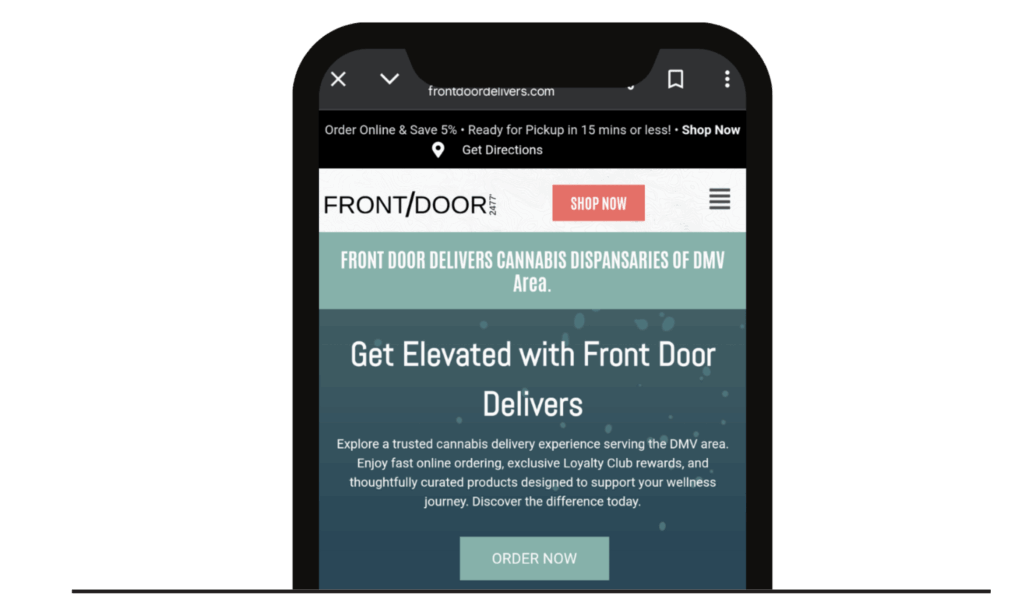
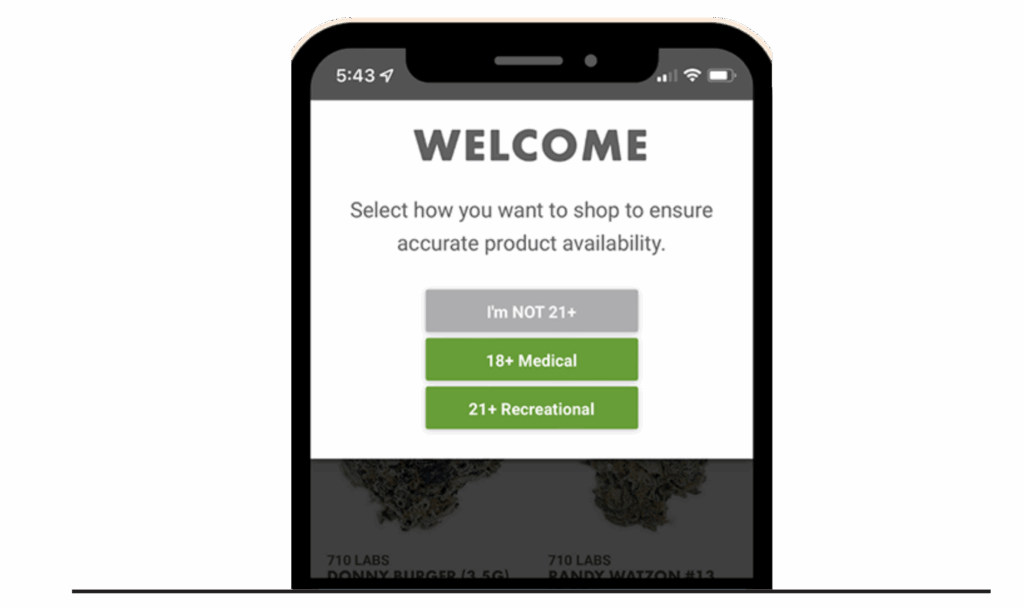
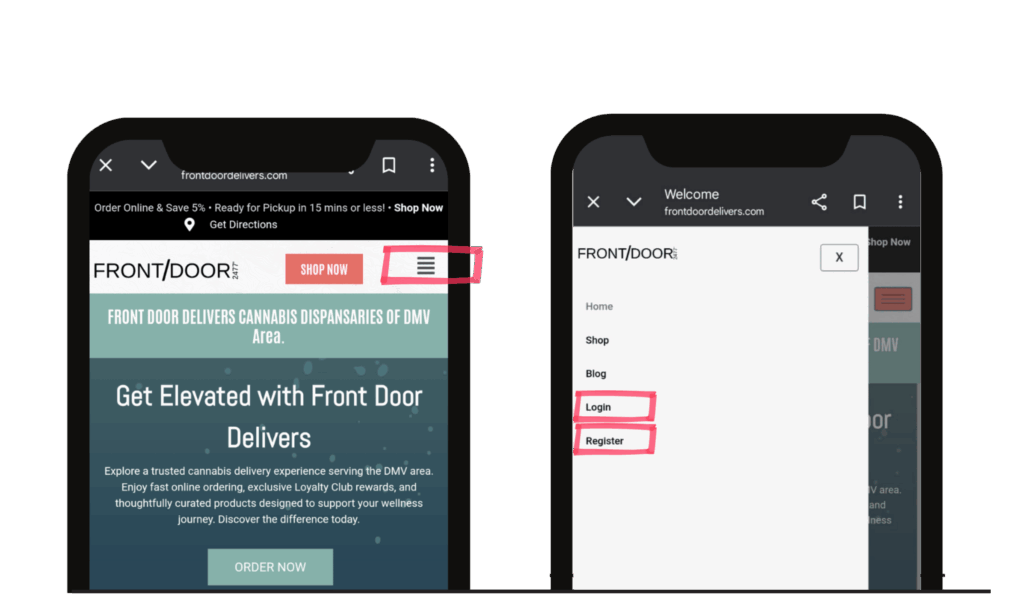
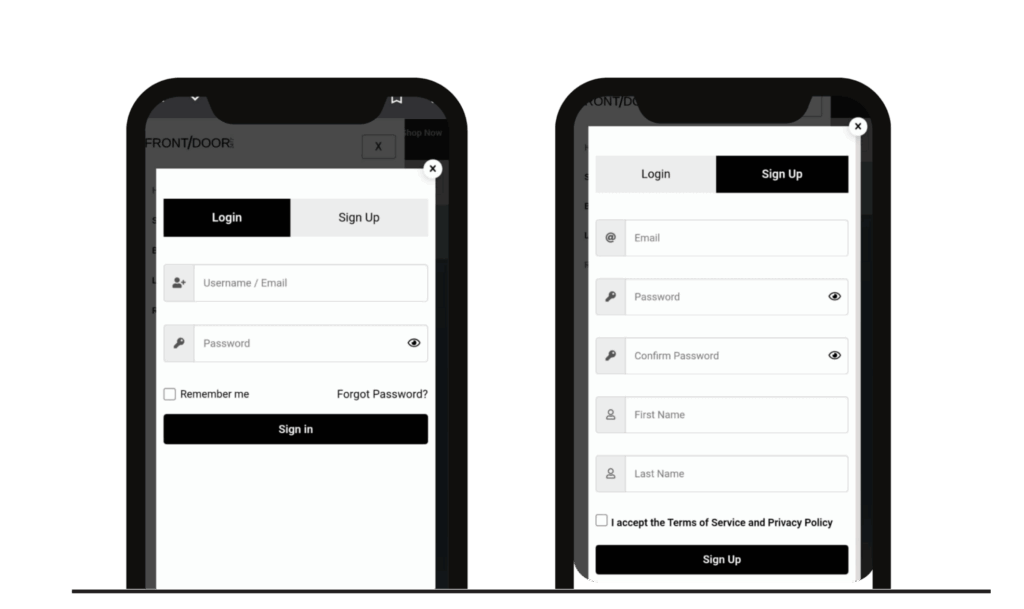
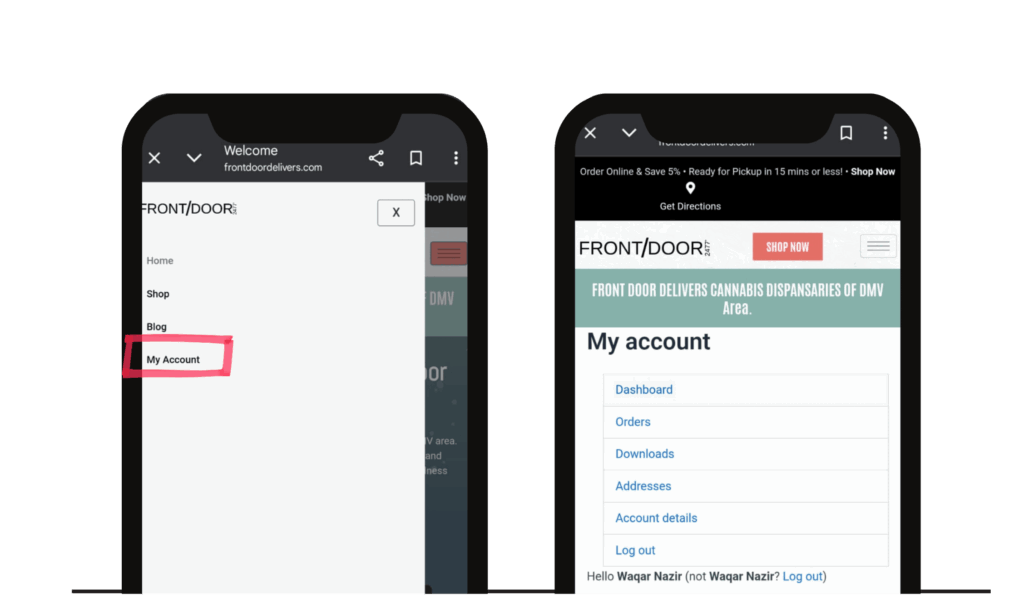
Order Cannabis Online – Nevada City Prepay for a Seamless Pickup Home»How to Order Online How to Create an Online Account Never pay full price again. Create an online account and get 5% OFF every time you shop! To set up your eCommerce account, follow the steps below: Step 1 Open Our Online Menu Go to https://frontdoordelivers.com/ on your phone or desktop, and tap SHOP NOW to open our online menu. Step 2 Choose Customer Type Select 18+ Medical or 21+ Recreational depending on your current MMIC status. Step 3 Login/Sign Up Tap the menu icon (☰) in the upper left-hand corner of the screen & click at Register for Registration and click at Login for login Step 4 Create An Account Click Sign Up and enter your account details. Be sure to enter your cell phone number to receive text message notifications about your orders’ status. Create a 7-character password with 1 uppercase letter and 1 number for security purposes. Step 5 Congrats! Click My Account and then you will see your Account Dashboard. You can check detail of Orders You can check Your Downloads pdf. You an check your address and also you can manage. You can manage your Password